A VS Code extension · by OkeyLanders

Workshop your prose where you already write it.

AI writing analysis built into VS Code. Select an excerpt from your manuscript, attach a context brief assembled from your own story bible, and run fourteen focused craft tools — dialogue, gesture, cliché, continuity — with your API key staying on your machine.

Add to VS Code See it in action
Claude Opus Claude Sonnet GPT-5 Gemini
the Prose Minion sidebar · live in your editor
One key, every frontier model

Prose Minion reaches OpenRouter's full catalog, and lets you assign a different model to each job — a heavyweight for analysis, something fast for dictionary lookups. Bring your own key.

AssistantClaude Opus 4.8 AssistantClaude Sonnet 4.6 ContextGPT-5 ContextGemini 3 Pro DictionaryGemini 3.5 Flash AssistantLlama 4 Maverick ContextDeepSeek V3

Powered by OpenRouter — bring your own key.

What it is

A developmental editor that lives in the margin of your draft.

01

Select an excerpt.

Point Prose Minion at a passage in any Markdown manuscript — a paragraph, a scene, up to 2,000 words.

02

Attach a context brief.

Built automatically from your story bible — character sheets, voice guides, prior chapters — so the analysis knows your world.

03

Run a craft tool.

Dialogue, gesture, cliché, continuity — fourteen focused passes return plain, copyable notes in monospace.

The Assistant tab

The writing room.

Your excerpt, an optional context brief, and a wall of craft tools. Pick an analysis and it runs on the passage with your story bible attached — then hands back notes you can act on.

  • Three primary tools up front — Dialogue & Beats, Prose, Gestures — plus craft & voice as chips.
  • A live word count and source path keep the excerpt grounded in the real file.
  • Results keep their monospace + emoji character — copy or save any pass to your workspace.

A second reader who already knows your characters.

🔍 Category Search: "prepositions" saved .md
28 matched words · 133 occurrences · Drafts/chapter-6.12.md
through
13
into
12
up
9
beside
8
about
7
against
7
beneath
6
behind
6
+ 20 more words in the saved report
🔍 Category Search: "colors" saved .md
13 matched words · 20 occurrences · Drafts/chapter-6.12.md
white6
golden2
blue2
aureate1
rose1
slate1
purple1
line 181 · …A bracelet of aureate gold coiled his…
🔍 Details & Cluster Analysis saved .md
Context window: 3 words · Cluster window: 300 (min 10 hits)
beside · 8 hits
top pairing: "walked beside" ×4 — presence walked beside ×3
aureate · 1 hit · line 181
…A bracelet of aureate gold coiled his…
through · 13 hits · 0 clusters
evenly spread — no over-tight repetition detected
every hit is linked back to its line in the draft
click to shuffle full pass →
The Search tab

Find your tics across the whole book.

Word and category search scoped to a file, a folder of chapters, or your entire manuscript set. See every occurrence, the gaps between them, and where a word clusters too tightly.

  • Scope it to active file, manuscripts, chapters, or a path pattern.
  • Tune context words, cluster window, and minimum cluster to catch repetition that matters.
  • Results come back as a per-file table with hit counts and average gaps.
📊 Prose Statistics saved .md
📝 Word Count3,087
⚖️ Avg Words per Sentence9.2
🎯 PacingFast (short sentences)
💬 Dialogue Percentage19.1%
🎨 Lexical Density69.8%
🌈 Vocabulary Diversity39.4%
📖 Readability Score81.5
🎓 Readability Grade (FKGL)6.7
⏱️ Reading Time13m
Drafts/chapter-6.12.md · 19 metrics per run
📏 Word Length Distribution saved .md
1 chars
1.6%
2 chars
10.2%
3 chars
21.1%
4 chars
18.6%
5 chars
13.2%
6 chars
10.8%
7 chars
9.2%
8 chars
6.6%
9 chars
4.3%
10 chars
2.2%
3,137 total words · 1,183 unique · 645 hapax (20.6%)
🚩 Style Flags saved .md
💪 Weak Verbs78
hadismadewasdid
🔤 Adverbs (-ly words)59
violentlyreflexivelyfinallysuddenly
🗑️ Filler Words23
justquiteactuallysomehow
👻 Passive Voice2
been druggedbeen transformed
every flag lists its examples — nothing is auto-fixed
🧭 Publishing Standards YA · 5.5×8.5 in
Word Count
min 50000 / max 90000
3087
▼ below
Dialogue %
min 40 / max 55
19.1
▼ below
Lexical Density %
min 50 / max 55
69.8
▲ above
Avg Words/Sentence
min 12 / max 16
9.2
▼ below
est. 12 pages @ 275 words/page — chapter vs. book targets
click to shuffle full pass →
The Metrics tab

The numbers behind the prose.

Prose statistics, style flags, and word-frequency — measured against a publishing standard and trim size you choose. Vocabulary diversity, lexical density, readability, word-length distribution.

  • Pick a publishing standard (YA, adult) and trim size; metrics calibrate to it.
  • Style flags surface weak verbs, adverbs, filler, and passive voice.
  • Visual distributions — word length, frequency — render right in the panel.
The Dictionary tab

Definitions with a sense of the scene.

AI lookups that read your context — definition, IPA pronunciation, and a sense explorer with synonyms tuned to how the word sits in your sentence. Run a full lookup or a fast one.

📕 Writer's Dictionary Claude Opus 4.8
the determined set of her jaw
Definition

A fixed, tense positioning of the lower face indicating resolve, stubbornness, or quiet defiance — willpower made manifest in bone and sinew.

IPA /ðə dɪˈtɜːmɪnd sɛt əv hɜː dʒɔː/
source: Drafts/chapter-1.5.md · full lookup
🔍 Sense Explorer sense 1 of 3
Physical manifestation of resolve

"The determined set of her jaw told him argument was futile."

Synonyms
firm jawset chinsquared jawjutting chinsteeled expressionhardened features

Nuance: implies control — the character is holding something back while pushing forward.

+ stubbornness/defiance · silent communication
🎭 Character Voice Variations 3 of 12
Spare / minimalist
"Her jaw was set. She wasn't asking permission."
Hardboiled / noir
"That jaw could cut glass. She'd made up her mind before the engine turned over."
YA contemporary
"I knew that look — chin up, jaw tight, zero room for debate."
twelve rewrites calibrated to different narrative voices
🧭 Semantic Gradient weakest → strongest
focused lookfirm mouthset chindetermined set of her jawclenched jawlocked teeth
Tonal sliders
Intimacy
90%
Admiration
70%
Tension
60%
⚠️ cliché alert: rotate the anatomy — chin, mouth, cheek muscle
click to shuffle full pass →
Fourteen writing tools

A guide, not a dropdown.

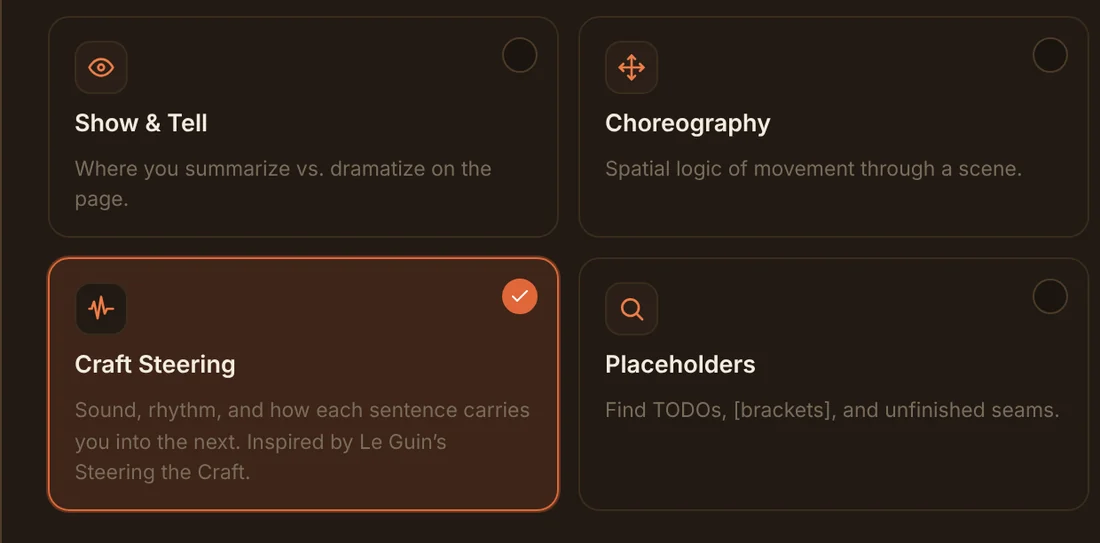
The tools picker opens as a guide — bigger cards that say what each pass does, grouped Primary, Craft & Voice, and Technical. Continuity even checks your excerpt against prior chapters.

Writing tools Primary

Dialogue & Beats

Dialogue quality and action beats in equal measure — what's said and how it's embodied.

runs on your excerpt · context brief attached
Writing tools Primary

Prose

Diction, imagery, and cadence — with creative sampling across multiple stylistic approaches.

runs on your excerpt · context brief attached
Writing tools Primary

Gestures

Convert static conditions into live events — something happens, something changes, someone must respond.

runs on your excerpt · context brief attached
Writing tools Craft & Voice

Cliché

Dead metaphors, stock phrases, and over-elaborate purple prose — with priority triage.

runs on your excerpt · context brief attached
Writing tools Craft & Voice

Show & Tell

Dramatization balance — under-rendered peaks that should show; over-labored transitions that should tell.

runs on your excerpt · context brief attached
Writing tools Technical

Continuity

Internal scene logic — spatial impossibilities, vanishing props, timeline breaks, and info the character couldn't know.

runs on your excerpt · context brief attached
click to shuffle real output →
Account balance
OpenRouter
$12.40
Last request $0.014

↻ refreshes after every request

The balance widget

Always know what a pass costs.

Your live OpenRouter balance sits in the header, with the last request's cost right beneath it — so a single lookup's spend is never a surprise. You pay OpenRouter directly; the extension is free.

The next step

The Assistant, as a full editor tab.

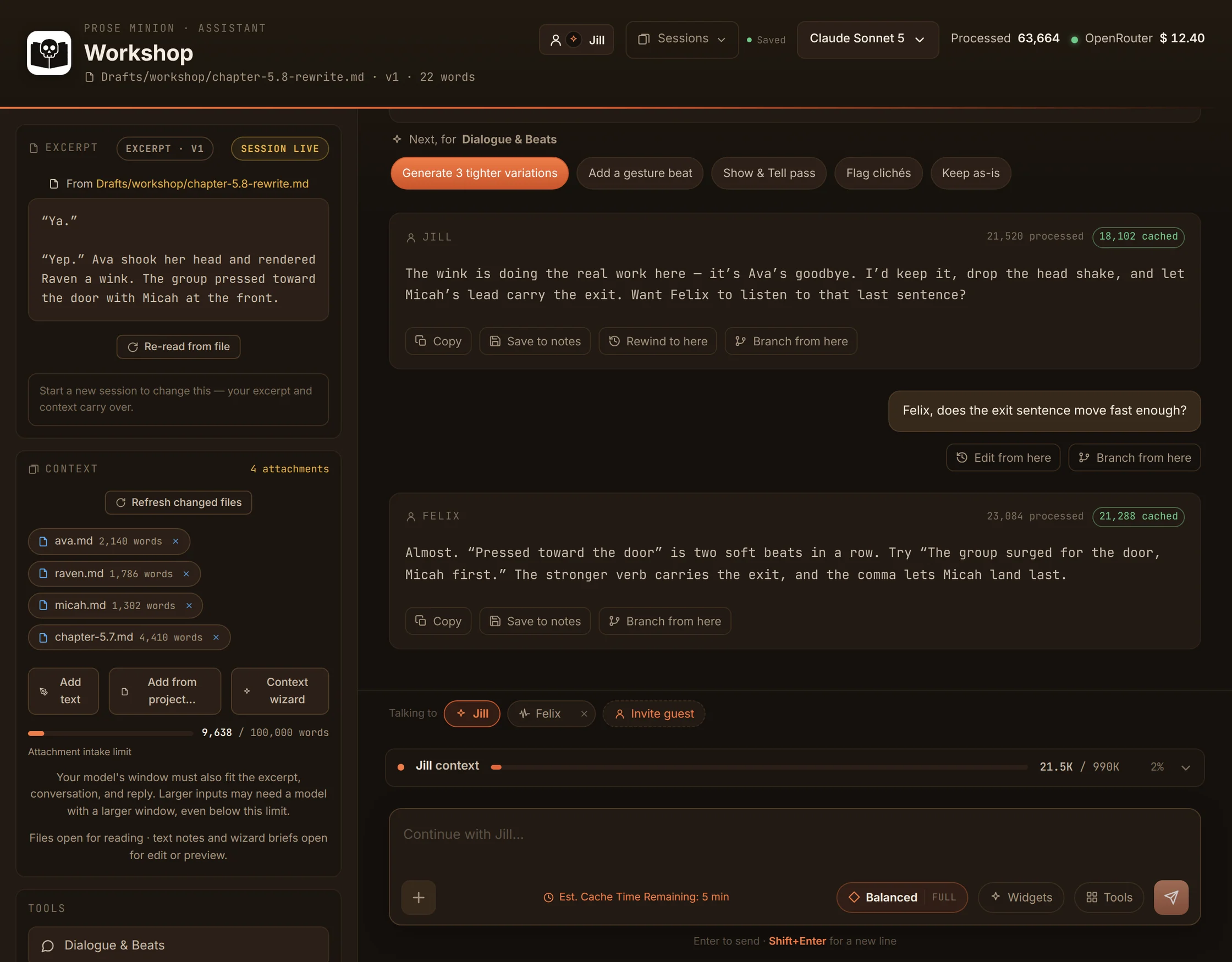
Open the conversation in a real VS Code tab and keep going — analysis, follow-ups, and rewrite variations in one thread. A contextual action bar rewrites itself per analysis, and nothing touches your draft until you hit Apply.

keep the thread going contextual actions variation cards apply to draft
Prose Minion
chapter-5.8-rewrite.md
Prose Minion · Assistant
Workshop — chapter 5.8
Drafts/workshop/chapter-5.8-rewrite.md · 164 words selected
Claude Opus 4.8
OpenRouter $12.40
Last request  $0.014

Look at the exit beat at the end of the Pentecost scene — does the dialogue land?

chapter-5.8-rewrite.md · 164 words
"Ya." "Yep." Ava shook her head and rendered Raven a wink. The group pressed toward the door with Micah at the front.
Dialogue & Beats

Dialogue & Microbeat Analysis

Beat Cadence

The clipped "Ya." / "Yep." earns its terseness — but two monosyllables back-to-back flatten the rhythm right before a group exit. Give one speaker a gesture instead of a word.

Microbeats

"shook her head and rendered Raven a wink" stacks two head actions. Pick the one carrying subtext; cut the other.

Choreography

"pressed toward the door with Micah at the front" is clear, but "pressed" + "toward" softens the urgency. A harder verb lands the momentum.

Do the tighter variations.

Three passes, each keeping the wink as the goodbye:

Variation 1Tighter

Ava caught Raven's eye and winked. They moved for the door, Micah breaking the lead.

Variation 2With a gesture beat

"Ya." Raven's mouth twitched. Ava answered the almost-smile with a wink, and the group spilled toward the door behind Micah.

Variation 3Higher momentum

The wink was the whole goodbye. Then they were moving — Micah first, the rest of them crowding the door.

Next, for Dialogue & Beats
Ask for a change, or pick a tool…
Tools
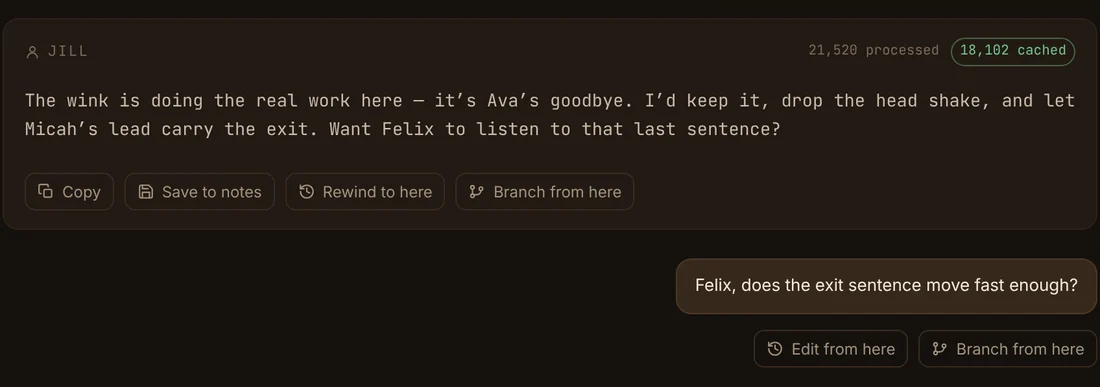
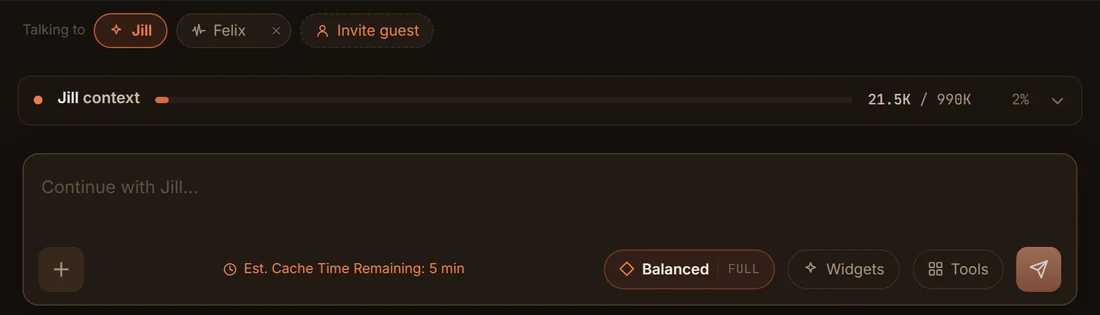
the wild one

Or branch every idea in parallel.

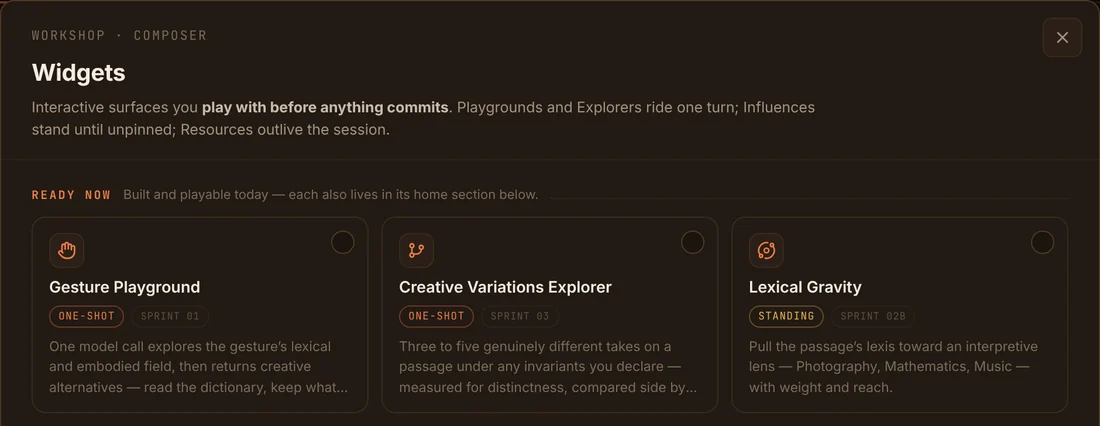
A branch board turns each analysis and rewrite into a card on a spine. Branch any card to explore variations side by side — non-linear, built for "show me options." Still nothing overwrites your draft until you apply it.

branch variations in parallel apply when ready
Prose Minion
chapter-5.8-rewrite.md
Prose Minion · Assistant
Workshop — chapter 5.8
Drafts/workshop/chapter-5.8-rewrite.md · 164 words selected
Claude Opus 4.8
OpenRouter $12.40
Last request  $0.014
Branch board
Every analysis and rewrite is a card. Branch any card to explore in parallel — nothing overwrites your draft until you apply it.
Excerpt164 words

"Ya." "Yep." Ava shook her head and rendered Raven a wink. The group pressed toward the door…

Dialogue & Beatsdone

Two monosyllables flatten the rhythm before the exit. Give one speaker a gesture, not a word.

3 variations · branched from Dialogue & Beats
Var 1Tighter

Ava caught Raven's eye and winked. They moved for the door, Micah breaking the lead.

Var 2With a gesture beat

"Ya." Raven's mouth twitched. Ava answered the almost-smile with a wink, and the group spilled toward the door behind Micah.

Var 3Higher momentum

The wink was the whole goodbye. Then they were moving — Micah first, the rest of them crowding the door.

More variations
Run another tool on the excerpt…
GesturesChoreographyShow & TellCliché
Ask, or run a tool to spawn a card…
Tools
The details that add up

Small things, done right.

Context briefs from your story bible

Character sheets, voice guides, and prior chapters assembled into the prompt automatically.

Fourteen craft tools

Dialogue, gesture, cliché, continuity, choreography — primary, craft, and technical passes.

Monospace results, kept

Every pass returns plain, copyable notes — save any of them straight to your workspace.

Manuscript-wide scope

Run search and metrics over one file, a chapter folder, or every manuscript at once.

Publishing standards

Calibrate metrics to a YA or adult standard and a real trim size before you measure.

A model per job

Assign a heavyweight to analysis, something fast to dictionary lookups — your call, per task.

Keys stay local

Stored in VS Code SecretStorage — never in settings, never on a server.

Theme-native UI

Warm by default, and it follows your active VS Code theme.

Nothing changes until you apply

Analyses and rewrites are suggestions — your draft is only touched when you say so.

Built right

Not a flimsy wrapper. A real tool.

Your key never leaves your machine.

The OpenRouter key lives in VS Code's encrypted SecretStorage — not in settings, not on a server.

No backend, no middleman.

Calls go straight from your editor to OpenRouter. Your manuscript and prompts are yours alone.

Clean architecture.

Layered, typed, tested — built to last. Forked from the pixel-minion framework.

Get started

One key, then you're editing.

1

New to VS Code? See the setup guide

Install VS Code, build a project folder, and configure every setting — the setup guide walks through all of it.

2

Install Prose Minion

Search Prose Minion in the VS Code Extensions view, or grab it from the Marketplace.

3

Add your OpenRouter key

Open the Prose Minion view and paste one OpenRouter key. It's stored in encrypted SecretStorage.

4

Select, pick a tool, analyze

Highlight an excerpt, choose a craft tool, and read the notes — or open the full-tab Assistant and keep going.

Add to VS Code View on GitHubsoon

Prose Minion works on Markdown manuscripts in your workspace. Results save right back to a folder you control.

prose-minion
# 1 — install the extension
ext install okeylanders.prose-minion
# 2 — add your key
OpenRouter key stored in SecretStorage
# 3 — workshop a passage
select → tool → analyze → revise
Questions

Good to know.

Do I need an account? +
No account or sign-up — you bring a single OpenRouter API key. That one key covers the Assistant, context, and dictionary models.
What files does it work with? +
Markdown manuscripts in your workspace. Excerpts come from the file you point it at; search and metrics can span a folder or your whole manuscript set.
How much does it cost? +
The extension is free. You pay OpenRouter directly for what you generate — and the header shows your live balance plus the last request’s cost, so you always know your spend.
Which models can I use? +
Anything in OpenRouter’s catalog — Claude, GPT, Gemini, and more. You can assign a different model to the Assistant, the context brief, and dictionary lookups.
What is a context brief? +
An optional bundle assembled from your own story bible — character sheets, voice guides, CLAUDE.md, prior chapters — attached to each analysis so it understands your world and voice.
Where do my results go? +
They stay in the panel as monospace notes you can copy, and you can save any pass straight to a workspace folder you control. Nothing is sent anywhere but the model provider.
Does it change my text? +
No. Analyses and rewrite variations are suggestions. In the full-tab Assistant nothing touches your draft until you hit Apply.
Does it match my theme? +
Yes. The UI is warm by default and follows your active VS Code theme.
Your editor just learned to read for craft

From rough draft to revision, without leaving VS Code.

Add to VS Code